
How Agro-Input Companies Book Orders in The Field

Agro-input companies rely on a network of distributors, dealers, and retailers to get seeds, fertilizers, pesticides, herbicides, and other agricultural products to farmers. Field reps sit at the center of that network, visiting dealers, checking stock requirements, collecting orders, and coordinating with distributors to make sure products reach the market on time.
But order booking gets complicated fast when sales teams are juggling multiple SKUs, seasonal demand, dealer credit limits, and shifting promotional schemes across rural territories. Orders written down in notebooks, spreadsheets, or messaging apps are hard to verify and slow to process. Even a short delay during planting season can leave a dealer without the products farmers need right then, and that window doesn't come back around until next season. Digital order reporting gives this a more structured path, capturing dealer requirements, verifying order details, and getting demand to the back office without the usual lag. It gives sales managers real visibility into field activity while taking manual work off both reps and distributors.
In this blog, we will explore the challenges of field order booking for agro-input companies, how digital order booking works, which software features matter most, and how Delta Sales App supports field sales operations.
Key Challenges in Field Order Booking for Agro-input Companies
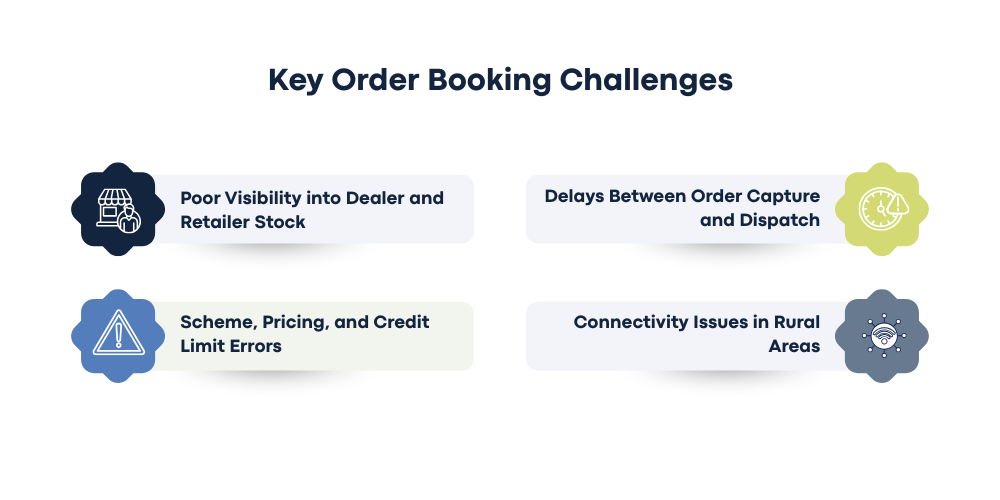
Field order booking in agricultural input distribution involves more than recording product quantities. Sales representatives must understand local demand, check dealer requirements, follow company pricing policies, and submit accurate orders within the available selling window. Several operational challenges can disrupt this process and affect order accuracy, distributor coordination, and dealer satisfaction.
-
Poor Visibility into Dealer and Retailer Stock
Agro-input demand shifts with crop cycles, sowing schedules, and local farming conditions. A dealer might need more seeds right before planting starts and then need fertilizers or crop protection products at a completely different stage. Without current dealer stock and purchase history, reps end up booking quantities nobody needs, or missing a replenishment window that's already closing. Distributors run into the same problem from their side, struggling to tell genuine new demand apart from a repeat order placed before the earlier shipment has even arrived. Access to recent orders and stock data is what lets teams read dealer requirements accurately instead of guessing.
-
Delays Between Order Capture and Dispatch
When reps record orders in notebooks, spreadsheets, or messaging apps, someone in the back office has to transfer every detail by hand into their system. That creates delays and opens the door to wrong quantities, missing SKUs, incomplete dealer information, and the usual cost of a manual handoff. It gets expensive fast during peak agricultural season, when dealers genuinely need replenishment on time, not three days late. Digital order capture gets orders to distributors faster and cuts out the repeated data entry sitting between the rep and the office.
-
Scheme, Pricing, and Credit Limit Errors
Agro-input companies run seasonal discounts, volume-based schemes, and dealer incentives all the time, and these vary by product, order quantity, distributor, territory, and campaign period; nothing stays constant long. Manual calculations are where pricing or discount errors creep in, and an order with outstanding dues can get stuck waiting on approval that never comes. Access to configured pricing rules and dealer credit information lets reps follow company policy correctly and catch a problem before they submit the order, not after it bounces back.
-
Connectivity Issues in Rural Areas
Reps visiting rural dealers often hit unreliable internet, especially traveling between villages and agricultural markets where coverage just isn't there. That delays order submission and forces teams back to manual recording for later entry, exactly what digital capture was supposed to fix in the first place. Offline order booking solves it: the rep saves the order details without a live connection, and it syncs once they're back in range. That keeps the booking process consistent across territories, whatever the network coverage looks like on any given day.
How Agro-input Companies Book Orders Digitally in the Field
Digital field order booking replaces disconnected manual steps with a more organized workflow. Representatives can review dealer information, capture product requirements, submit orders, and follow up on collections through a mobile application. The exact process depends on the company's ERP, distributor management system, inventory setup, and approval policies. A typical digital order booking workflow includes the following steps.
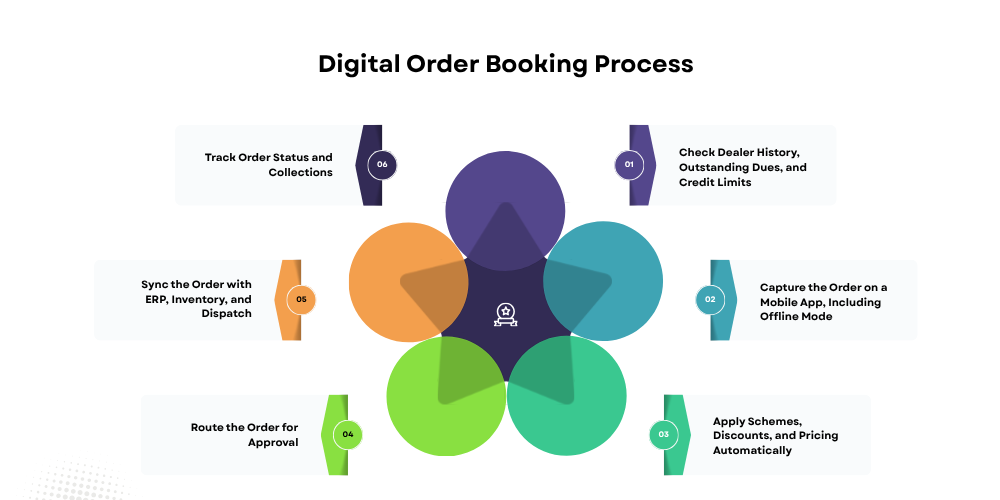
Step 1: Check Dealer History, Outstanding Dues, and Credit Limits
Before booking anything, reps should check previous purchases, pending orders, outstanding payments, and available credit. That's what catches a replenishment need, stops a duplicate order from going through, and flags whether this particular order needs extra approval before it moves. A dealer asking for another batch of pesticide might already have an unfulfilled order sitting with the distributor, and checking the history is what confirms whether more stock is actually needed or not.
Credit matters just as much. A dealer with unpaid invoices or limited remaining credit is a problem worth catching before the order gets submitted, not after. Depending on company policy, the order can proceed, need approval, or sit on hold until the payment issue clears up.
Step 2: Capture the Order on a Mobile App, Including Offline Mode
Once the dealer's requirements are confirmed, the rep picks products from a digital catalog and enters the quantities. The app records the dealer information, SKU, pack size, quantity, price, and order date- everything needed downstream.
A digital catalog means nobody's flipping through a printed price list or calling the office to confirm a basic product detail. Where it's supported, reps can also check previous purchases and pending orders right there, which stops duplicate entries before they happen. Offline functionality matters most for rural operations specifically; reps should be able to capture an order without waiting on a connection, as long as the product and dealer data is already on the device. The saved information syncs once connectivity comes back, with no data lost waiting for a signal.
Step 3: Apply Schemes, Discounts, and Pricing Automatically
Manual pricing calculations slow order booking down and create plenty of room for error. Digital order booking fixes that by applying configured prices, discounts, and promotional rules automatically. If a company runs a volume-based discount on certain fertilizer SKUs during a seasonal campaign, the system calculates the discount the moment the rep enters an eligible quantity, as long as the scheme rules are actually configured correctly. The app should show the final price and discount before the order goes through, so the rep can explain the offer to the dealer on the spot instead of calling the office to check.
Companies still need to define how overlapping schemes, expired offers, and pricing exceptions get handled, though. Automatic calculations are only as reliable as the pricing rules sitting underneath them, and those need regular maintenance, not a one-time setup.
Step 4: Route the Order for Approval
Not every order should move straight to dispatch. Some need an extra check, credit exposure, an unusual quantity, special pricing, a discount outside standard policy, and a digital workflow that can route exactly those to the right sales manager, distributor, or finance team for review. The reviewer looks at the order details and approves, rejects, or asks for changes. That creates a real record of who decided what, instead of the usual trail of scattered phone calls and messages trying to reconstruct it later. Standard orders move through the normal process untouched. Exceptional ones get the extra attention they actually need, according to whatever policy the company has set.
Step 5: Sync the Order with ERP, Inventory, and Dispatch
Once an order is accepted, the relevant information must reach the teams responsible for stock allocation, invoicing, and delivery. Integration with an ERP or distributor management system can reduce duplicate entry and improve coordination between field representatives and back-office employees. Where the integration supports it, the system can transfer order details and retrieve inventory or order-status updates.
Inventory visibility is especially valuable during peak agricultural seasons. If a dealer requests a product that is unavailable, the sales team can identify the shortage earlier and communicate realistic expectations. Companies should also distinguish between orders that are captured, approved, confirmed, and dispatched because each represents a different stage of fulfillment.
Step 6: Track Order Status and Collections
Order booking doesn't end the moment the rep hits submit. Sales teams still need to know whether the order's been approved, processed, dispatched, or delivered, and reps can use that status on the next dealer visit to actually answer questions instead of saying, "Let me check." If an order's stuck pending, the reason can get investigated before the rep shows up again, not discovered awkwardly in front of the dealer.
Collection tracking belongs in the same workflow. Agro-input companies need to watch due dates, outstanding balances, payments collected, and overdue accounts against whatever credit policy they're running. Connecting order and collection reporting is what tells a sales manager whether more orders are actually turning into timely payments or just piling up as unpaid balances with better paperwork.
Benefits of Digital Order Booking for Agro-input Companies
A structured digital order booking process improves more than the speed of data entry. It helps connect field representatives, distributors, and back-office teams around a more consistent flow of information.
-
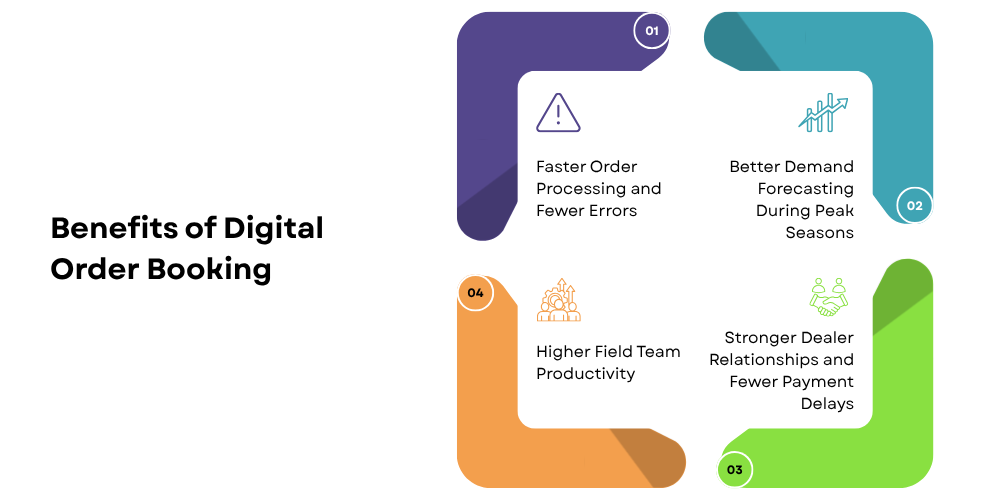
Faster Order Processing and Fewer Errors
Digital order capture reduces manual data entry and helps standardize product selection, quantities, and order details. When connected to approval and back-office workflows, it can also reduce delays between field submission and order processing. More accurate order records mean less time spent correcting product codes, quantities, and pricing details. Representatives and back-office teams can focus on resolving genuine order issues instead of repeatedly checking basic information.
-
Better Demand Forecasting During Peak Seasons
Agricultural demand is strongly influenced by sowing periods, crop cycles, regional weather, and seasonal purchasing patterns. Timely order information helps companies understand which products dealers are requesting and where replenishment may be needed. By reviewing order history, current demand, territory coverage, and available inventory, managers can identify emerging patterns and prepare more effectively for seasonal peaks. Field order data should be considered alongside distributor stock, historical sales, and market conditions to support more reliable planning.
-
Higher Field Team Productivity
Representatives spend a significant part of their working day travelling between dealers, discussing requirements, booking orders, and following up on payments. Manual reporting adds administrative work that can reduce the time available for productive visits. Mobile order booking and automated reporting can simplify these tasks. GPS tracking and beat planning can also help managers review route adherence and identify opportunities to improve territory coverage. Teams can spend less time managing paperwork and more time maintaining dealer relationships and generating secondary sales.
-
Stronger Dealer Relationships and Fewer Payment Delays
Dealers expect clear answers on product availability, order progress, pricing, and outstanding payments. When a rep can't answer those on the spot, confidence in the supplier takes a hit, and it doesn't come back easily in a relationship built on trust. Digital order records let a team review previous transactions and follow up on pending deliveries without digging through old messages. Collection reporting makes it easier to spot overdue accounts and bring up payment during the visit itself, not as an awkward afterthought. Clear communication, accurate order details, and timely follow-ups are what make a supplier feel dependable to a dealer, and that reliability is also what helps the company manage its own working capital.
Features to Look for in Field Order Booking Software
Choosing order management software for field sales requires more than checking whether an application can record orders. Agro-input companies should evaluate how well it supports rural selling conditions, seasonal product demand, distributor coordination, and field team supervision. The right solution should fit the existing sales process while reducing manual work for representatives and back-office teams.
-
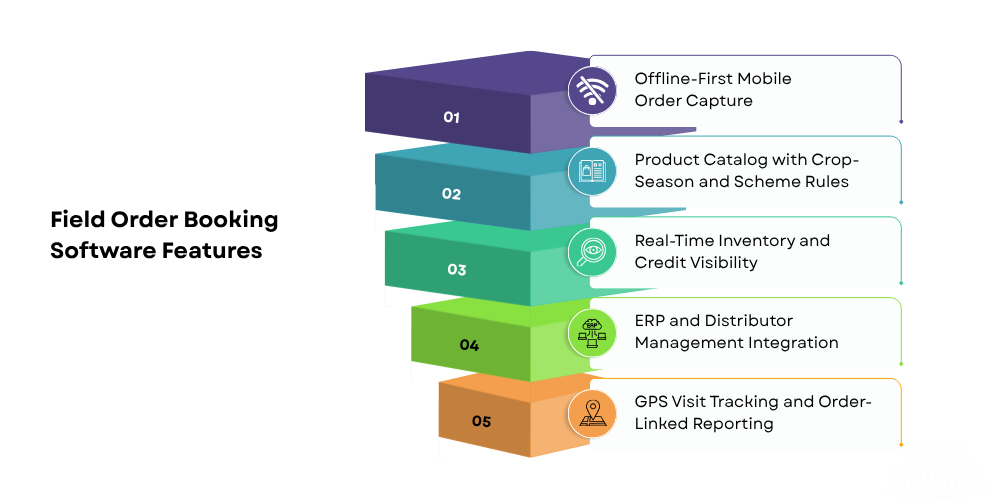
Offline-First Mobile Order Capture
Choose software that lets reps record orders in areas with weak or no internet, full stop. Reliable offline functionality should save supported information locally and sync once a connection shows up again. Check how it handles synchronization failures, duplicate submissions, and conflicting updates too, since those details matter a lot when a rep visits several dealers in one day and can't immediately confirm every order actually made it to the central system.
-
Product Catalog with Crop-Season and Scheme Rules
A digital catalog should show product names, SKUs, pack sizes, and applicable prices clearly. Support for configurable seasonal schemes is what lets a rep apply the current offer correctly instead of guessing at a discount that may have already changed. For agro-input businesses, product availability and demand swing by region and by agricultural season, so organizing the catalog and promotions around what's actually relevant right now helps reps book faster. And expired schemes and outdated prices need to get pulled or updated promptly; a stale catalog is worse than no catalog at all.
-
Real-Time Inventory and Credit Visibility
Access to inventory balances, pending orders, and dealer credit information is what lets a rep make a real decision during the visit, not a guess. They can spot a stock shortage, avoid booking a duplicate order, and catch a payment issue before a new request even gets submitted. Worth checking how often inventory and credit data actually update; some systems run live through integrations, others only sync periodically, and that gap matters. Accurate, current data is what makes these checks worth anything, and it's what lets a rep tell a dealer something true instead of something hopeful.
-
ERP and Distributor Management Integration
Integration connects field order booking with existing inventory, accounting, and distribution workflows. It reduces repeated data entry and helps sales, finance, and dispatch teams work with consistent order information. Before implementation, companies should confirm which records can be exchanged, whether the integration works in both directions, and how failed transfers are handled. This is particularly important for agro-input businesses managing multiple distributors and warehouses across different territories.
-
GPS Visit Tracking and Order-Linked Reporting
A GPS-based tracking system helps managers review representative locations and planned dealer visits. When visit records are linked with order and collection reporting, managers gain a clearer picture of territory coverage and field productivity.
For example, a representative may complete regular visits to a group of dealers but generate few orders. Reviewing visit frequency alongside order history and collection results can help managers identify whether those outlets need better follow-up, improved stock availability, or a different visit schedule.
How Delta Sales App Simplifies Field Order Booking for Agro-input Companies
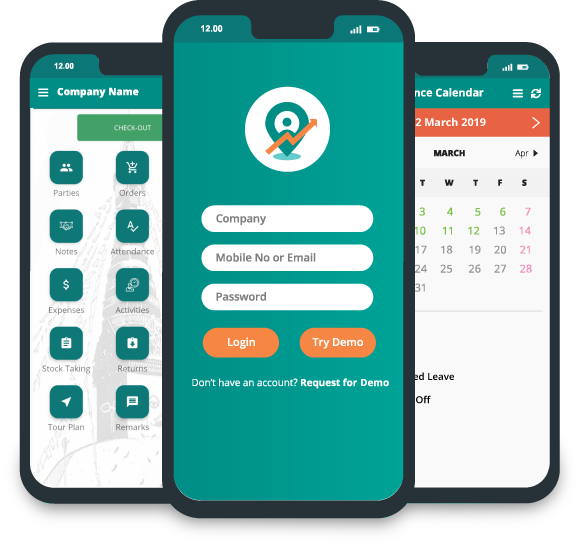
Delta Sales App helps businesses manage field sales activities through mobile order booking, employee tracking, reporting, and sales management features. For agro-input companies working with distributors and rural dealer networks, these capabilities can support a more organized process from field visits to order reporting.
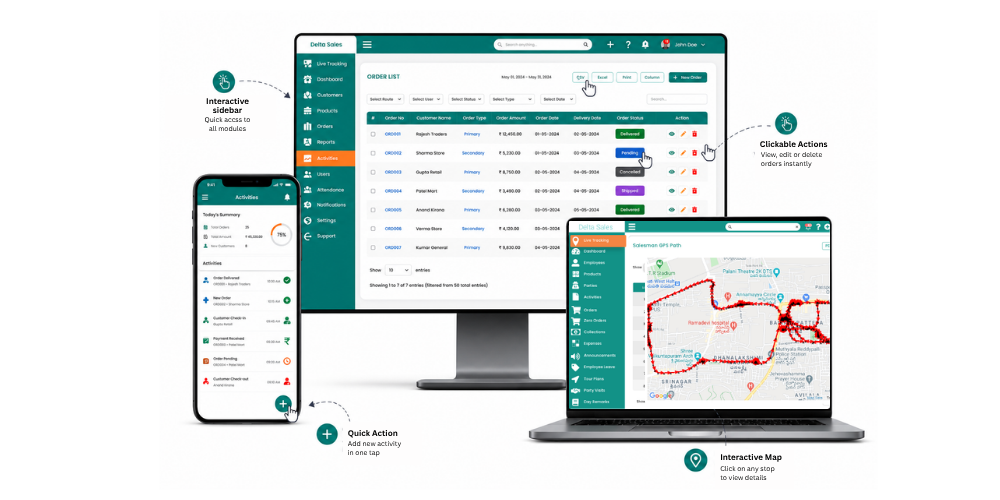
The value depends on how the company configures its workflows and connects the application with existing business systems.
-
Booking Orders On the Go, Even Without Network
Field reps need a practical way to capture dealer orders while moving between villages, agricultural markets, and distributor territories, places where a connection isn't always a given. Delta Sales App supports offline order booking, so reps can record supported order details without internet and sync once they're back in range. That cuts reliance on handwritten order notes and keeps the process consistent across rural sales routes, wherever the signal happens to be that day. Teams should confirm the offline availability of the specific product data and functions their workflow actually needs, since offline support can vary by feature.
-
Dealer Outstanding, Credit Limits, and Order History at a Glance
Dealer history and outstanding balances are what let a rep walk into a visit actually prepared. Previous purchases give the replenishment conversation real context, and pending orders stop an unnecessary repeat request from going out. Delta Sales App supports sales and distributor management workflows that help teams organize customer and order information, though the exact availability of credit limits, outstanding balances, and historical-order views depend on the company's own configuration and integrations. Where reps do have access to these details, they catch payment follow-ups and order issues early, instead of waiting on the back office to confirm something they could've already seen.
-
Automatic Scheme and Pricing Application
Consistent pricing matters a lot when agro-input companies operate across multiple territories and distributor networks, since a rep applying the wrong rate from an outdated document is an easy mistake and an expensive one. Configured product pricing and scheme workflows cut manual calculation and improve order accuracy. Businesses evaluating Delta Sales App should confirm the specific scheme rules, discount automation, and pricing validations available for their setup before implementation, since this varies by configuration. Whatever the application, accurate product, price, and promotion data underneath it is non-negotiable.

-
Order Approvals and Real-Time Sync with Back Office
Sales managers and back-office teams need visibility into whatever reps are submitting in the field. A structured digital workflow cuts the delays that come from manual reporting and repeated back-and-forth communication. Delta Sales App helps centralize field sales information and reporting, though businesses evaluating it for agro-input order approvals or ERP synchronization should confirm the specific approval workflows and integration capabilities they'll actually need, since these depend on setup. A clearly defined process is what tells a team which orders need review, which are accepted, and which still need action, instead of everyone guessing at the state of the pipeline.
-
Visit, Order, and Collection Tracking in One Place
Agro-input sales managers need to evaluate both field activity and the business results generated by that activity. GPS-based employee tracking, attendance, order reporting, and collection reporting can help bring these operational details into a more organized workflow. Delta Sales App supports GPS-based employee location tracking and sales reporting capabilities. These features can help managers review territory coverage, understand field activity, and monitor reported orders and collections.
-
Reports and Dashboards for Sales Managers
Daily sales reports often arrive too late to help managers respond to problems during the working day. Digital reporting makes it easier to review field activity and identify orders or collections that require attention. Delta Sales App provides sales reporting and dashboard capabilities that help managers monitor relevant field operations. Agro-input businesses can use available reports to assess order activity, representative productivity, and collection performance according to their configured metrics.
Conclusion
Field order booking is a critical part of agro-input distribution because product availability and delivery timing directly affect dealers serving farmers. Manual processes can create delays, pricing errors, duplicate orders, and limited visibility into demand, especially when representatives operate across rural territories with unreliable internet connectivity.
Digital order booking helps agro-input companies capture dealer requirements, maintain order records, improve reporting, and coordinate field teams with distributors and back-office operations. Offline access, accurate product information, appropriate approval workflows, and reliable integration are particularly important when selecting a solution.
Delta Sales App supports field sales operations with mobile order booking, offline functionality, GPS employee tracking, and sales reporting. These capabilities can help agro-input businesses organize dealer visits, improve order visibility, and monitor field performance.
For companies looking to build a more consistent field sales process, the next step is to evaluate how digital order booking can fit into existing distributor, inventory, and collection workflows.
Request a personalized demo of Delta Sales App to explore how its field sales management capabilities can support dealer coverage, order reporting, and sales team coordination.