
How Automated EOD Reports Turn Daily Updates into Business Decisions
Every business generates valuable data throughout the day. Sales representatives visit customers, distributors place orders, inventory levels change, payments are collected, and customer feedback is recorded. However, if this information isn't compiled and analyzed promptly, it becomes difficult for managers to make informed decisions.
This is where Automated EOD Reports (End-of-Day Reports) become indispensable. Instead of relying on manual spreadsheets, phone calls, or delayed updates, businesses can automatically collect and organize daily operational data into meaningful reports.
For companies managing field sales teams, distributors, retailers, or service personnel, automated reporting offers complete visibility into daily activities. It enables managers to identify trends, monitor employee performance, improve operational efficiency, and make data-driven decisions without waiting for manual updates.
In this article, we'll explore how automated EOD reports work, why they outperform traditional reporting methods, what information they should include, and how solutions like Delta Sales App help businesses transform daily updates into actionable business intelligence.
What Are Automated EOD Reports?
Automated End-of-Day (EOD) reports are system-generated summaries of daily transactions, financial performance, or individual work progress. Instead of manually compiling data into spreadsheets, automation tools gather raw information, process it into a readable format, and distribute it to stakeholders without human intervention.
An automated report can include:
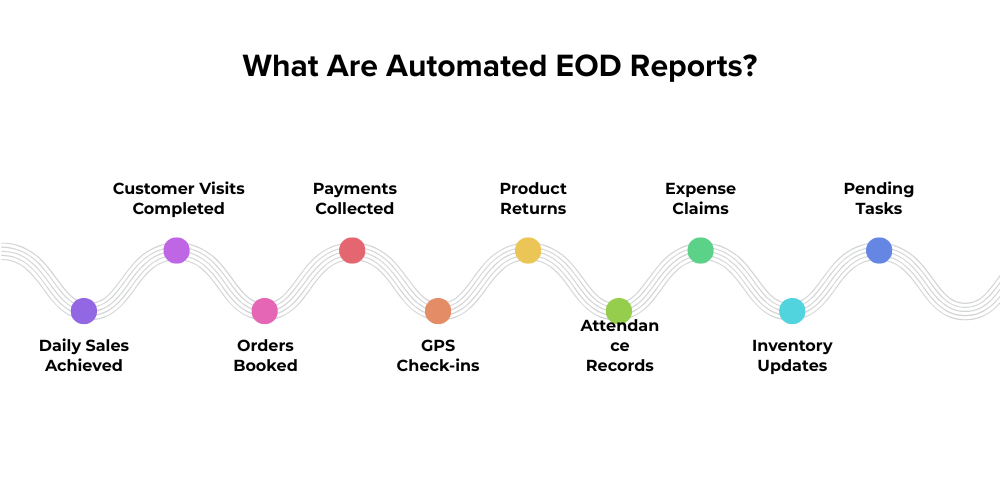
- Daily Sales Achieved: Automatically tracks completed sales transactions, helping managers monitor sales performance and daily revenue with complete accuracy.
- Customer Visits Completed: Records every customer interaction, providing clear visibility through customer visit tracking for improved field accountability.
- Orders Booked: Captures all confirmed customer orders instantly using order management software, ensuring accurate daily sales reporting.
- Payments Collected: Automatically records received payments, improving payment collection management and reducing reconciliation errors at day-end.
- GPS Check-ins: Verifies employee location and visit authenticity using GPS tracking, ensuring transparency throughout field operations.
- Product Returns: Documents returned products with reasons, enabling better returns management and inventory planning for businesses.
- Attendance Records: Tracks employee check-ins, working hours, and absences through attendance management for accurate workforce monitoring.
- Expense Claims: Records travel and business expenses automatically using expense management, simplifying reimbursement and approval processes.
- Inventory Updates: Provides real-time stock movement through inventory management, helping prevent stockouts and overstocking situations efficiently.
- Pending Tasks: Lists unfinished activities and follow-ups using task management, ensuring important customer commitments are never overlooked.
Unlike traditional reporting methods, automated systems generate reports in real time, reducing delays and eliminating manual errors.
Businesses using sales reporting software, field sales automation, and mobile workforce management solutions can instantly access daily performance metrics without chasing employees for updates.
Why Manual EOD Reporting Is No Longer Enough
Many organizations still rely on WhatsApp messages, Excel spreadsheets, emails, or handwritten reports to collect daily updates from their teams. While these methods may seem manageable for small businesses with limited operations, they become increasingly inefficient as the workforce expands and business activities become more complex.
Manual reporting requires employees to spend valuable time compiling data instead of focusing on customer interactions, sales, or service delivery. It also creates delays in sharing information with managers, making it difficult to respond quickly to business challenges. Since data is collected from multiple sources, there's always a risk of inconsistencies, missing information, and reporting errors that can impact decision-making.
In today's competitive business environment, managers need instant access to accurate information, not hours or even days later. Businesses that continue relying on manual reporting often struggle with poor visibility, slower decision-making, and reduced operational efficiency. As organizations embrace digital transformation, automated EOD reporting has become essential for improving productivity, ensuring accountability, and making faster, data-driven decisions.
Some of the most common challenges associated with manual EOD reporting include:
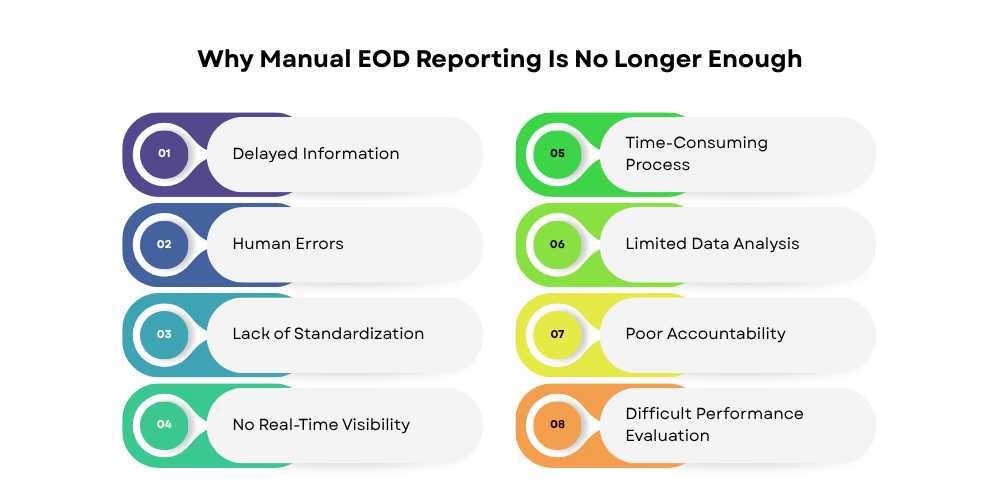
Delayed Information
Managers often receive reports hours after the workday ends, delaying important decisions. By the time reports are reviewed, opportunities may already be lost or operational issues may have escalated. Without real-time reporting, businesses cannot respond quickly to customer requirements or market changes.
Human Errors
Manual data entry frequently results in duplicate entries, incorrect figures, incomplete information, or calculation mistakes. Even small errors can affect sales analysis, forecasting, and business planning. Automated reporting software significantly improves data accuracy by capturing information directly from field activities.
Lack of Standardization
Employees often use different reporting formats, making it difficult to compare team performance or generate consistent reports. Standardized digital reporting systems ensure every employee submits information in the same format, simplifying analysis and improving reporting consistency.
No Real-Time Visibility
Managers cannot monitor field activities while they are happening. Instead, they must wait until the end of the day to understand sales progress, customer visits, or pending tasks. With field sales tracking, managers gain live visibility into team performance and can provide immediate support whenever required.
Time-Consuming Process
Sales representatives spend valuable selling hours creating reports, updating spreadsheets, and sending emails instead of meeting customers or closing deals. Automating daily reporting reduces administrative work and allows teams to focus on revenue-generating activities, ultimately improving sales productivity.
Limited Data Analysis
Manual reports usually provide only basic information and lack meaningful insights. Managers must spend additional time consolidating data before identifying trends or performance gaps. Modern sales analytics tools automatically convert raw data into actionable dashboards and performance reports.
Poor Accountability
Without GPS verification, timestamps, or automated activity logs, it becomes difficult to verify whether customer visits or assigned tasks were actually completed. Automated systems improve accountability through GPS tracking and digital activity records.
Difficult Performance Evaluation
Evaluating employee performance using manually prepared reports is often subjective and inconsistent. Automated reports provide measurable KPIs, helping managers assess productivity based on actual performance data rather than assumptions.
By adopting automated reporting software, real-time sales tracking, business process automation, and field force management software, organizations can eliminate these inefficiencies while improving reporting accuracy, operational transparency, employee productivity, and overall business performance.
How Automated EOD Reports Work
Modern field force management software streamlines the entire reporting process by automatically capturing employee activities as they happen throughout the day. Instead of requiring sales representatives to prepare reports manually after completing their work, the software collects information in real time through a mobile application and converts it into structured End-of-Day (EOD) reports. This not only saves time but also improves data accuracy, enhances transparency, and enables managers to make informed decisions based on up-to-date information.
Here's how the process typically works:
Step 1: Activity Recording
Throughout the day, field employees use a mobile application to record every important business activity. Since the information is entered immediately after each task, the chances of forgetting details or making manual errors are significantly reduced.
The mobile app allows employees to:
- Check in to customer locations using GPS for accurate location verification.
- Record customer visits along with visit outcomes and follow-up actions.
- Create sales orders directly from the customer's location.
- Collect payments and update outstanding balances instantly.
- Upload photographs as proof of store visits, merchandising, or product displays.
- Update customer information, including contact details, business requirements, and feedback.
All these activities are automatically stored within the system, creating a reliable digital record of the day's work.
Step 2: Automatic Data Synchronization
As soon as an activity is recorded, the application synchronizes the information with the cloud. This cloud-based reporting ensures that managers can access the latest business data without waiting for employees to submit reports manually.
Even if internet connectivity is temporarily unavailable, many modern applications support offline data capture and automatically synchronize information once the device reconnects to the internet. This guarantees uninterrupted reporting and complete data accuracy.
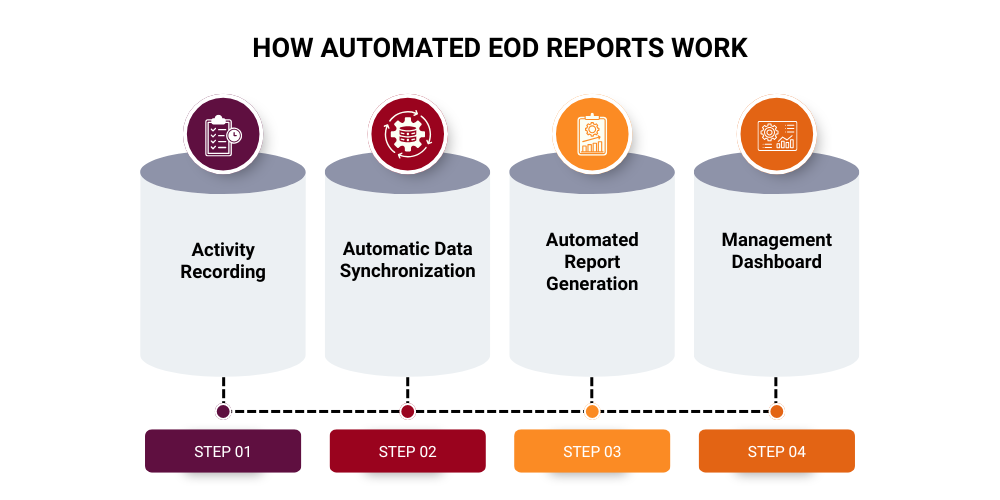
Step 3: Automated Report Generation
At the end of the day or even throughout the day, the software automatically compiles all collected information into comprehensive EOD reports. Since the system gathers data directly from employee activities, there is no need for manual report preparation.
These reports typically summarize:
- Total customer visits
- Orders booked
- Sales achieved
- Payments collected
- Attendance records
- Travel distance
- Completed tasks
- Pending follow-ups
- Expense claims
- Product returns
Automated report generation eliminates repetitive administrative work while ensuring every report follows a standardized format across the organization.
Step 4: Management Dashboard
Once reports are generated, managers can access them through an interactive business intelligence dashboard that presents key performance metrics in an easy-to-understand format. Instead of reviewing multiple spreadsheets or contacting employees individually, managers gain a complete overview of field operations from a single screen.
The dashboard typically displays:
- Team productivity to evaluate employee performance.
- Sales performance against daily or monthly targets.
- Route efficiency to optimize travel and reduce operational costs.
- Visit completion status for customer coverage analysis.
- Attendance and working hours of field employees.
- Outstanding tasks requiring immediate attention.
- Revenue generated by individuals, teams, or territories.
Managers can also filter reports by employee, territory, distributor, customer, or date range to gain deeper operational insights and identify improvement opportunities.
By leveraging sales analytics, real-time reporting, and business intelligence dashboards, organizations gain complete visibility into their field operations. This enables faster decision-making, improved employee accountability, better resource allocation, and more effective sales planning, all from anywhere and at any time.
What Data Should an Automated EOD Report Include?
An effective Automated EOD Report should provide managers with a complete snapshot of the day's field activities, sales performance, and operational progress. Rather than presenting scattered information from multiple sources, a well-structured report consolidates critical business data into one centralized view. This enables managers to monitor employee productivity, evaluate sales outcomes, identify operational bottlenecks, and make faster, data-driven decisions.
The more comprehensive the report, the easier it becomes to measure performance, improve accountability, and optimize business operations. Below are the essential components every automated EOD report should include.
Employee Information
Employee details help managers identify who completed specific activities during the day and evaluate individual performance across different territories.
An employee section should include:
- Sales representative name for individual performance tracking.
- Assigned territory to monitor region-wise coverage.
- Reporting manager for better organizational visibility.
- Attendance status including check-in, check-out, and working hours.
Having this information readily available simplifies employee performance management and ensures accountability across the field workforce.
Customer Activity
Customer interactions are among the most valuable metrics in any field sales operation. Tracking daily customer activities helps businesses maintain strong relationships while ensuring complete market coverage.
This section should capture:
- Total customer visits completed during the day.
- New customer acquisition to measure business growth.
- Follow-up meetings scheduled or completed.
- Missed visits requiring immediate attention.
Monitoring customer activity enables managers to improve customer relationship management (CRM) and ensure every sales opportunity is properly followed up.
Sales Performance
The sales performance section provides a clear picture of revenue generation and target achievement. It allows managers to compare daily results against predefined business objectives.
Important sales metrics include:
- Orders booked by each sales representative.
- Total order value generated during the day.
- Sales targets achieved versus assigned goals.
- Product-wise sales to identify top-performing products.
These insights support better sales performance tracking, forecasting, and territory planning.
Collection Summary
Revenue collection is equally important as generating sales. An automated EOD report should provide complete visibility into customer payments and outstanding balances.
The report should include:
- Payments collected from customers.
- Outstanding dues pending collection.
- Pending invoices requiring follow-up.
This information helps finance and sales teams improve payment collection management while maintaining healthy cash flow.
GPS & Route Details
GPS-based tracking improves transparency and verifies field activities. Managers can confirm that sales representatives visited assigned locations and followed optimized travel routes.
Key GPS information includes:
- Check-in and check-out time for each customer visit.
- Travel distance covered during the day.
- Route followed between customer locations.
- Visit duration at every outlet.
These metrics support route optimization while improving employee accountability and operational efficiency.
Productivity Metrics
Understanding how employees utilize their working hours helps businesses identify productivity gaps and optimize field operations.
Useful productivity indicators include:
- Number of customer calls made.
- Total working hours logged.
- Idle time between visits.
- Task completion percentage for assigned activities.
Tracking these KPIs helps managers improve field sales productivity and ensure maximum utilization of workforce resources.
Inventory Information
Businesses dealing with distributors, retailers, or warehouses should include inventory-related data within their EOD reports to avoid stock-related issues.
The inventory section should display:
- Current stock availability across products.
- Product returns received during the day.
- Distributor inventory status.
- Low-stock alerts requiring replenishment.
These insights strengthen inventory management, minimize stock shortages, and improve order fulfillment efficiency.
A well-designed Automated EOD Report brings together employee activities, customer interactions, sales performance, collections, GPS tracking, productivity metrics, and inventory updates into a single dashboard. Instead of reviewing multiple spreadsheets or waiting for manual updates, managers receive accurate, real-time business insights that support faster decision-making.
By consolidating all operational data into one report, businesses improve transparency, strengthen territory management, enhance sales team productivity, streamline performance tracking, and build a more efficient field sales operation.
How Automated EOD Reports Turn Daily Updates into Business Decisions
Collecting information is only the starting point in modern field operations. The real business value emerges when raw operational data is transformed into meaningful, actionable insights through business intelligence dashboards and automated reporting systems. Automated EOD reports act as a decision-enabling layer that helps managers move from reactive problem-solving to proactive strategy building.
By leveraging real-time sales tracking and field sales analytics, organizations can convert daily updates into structured intelligence that directly supports planning, forecasting, and performance optimization. Below is how automated reporting strengthens business decision-making across different areas.
Better Sales Planning
Automated reports help managers identify high-performing and underperforming territories with precision. By analyzing patterns in territory management app, businesses can understand which regions consistently generate higher revenue and which require strategic intervention.
This enables smarter allocation of targets, improved route planning, and better alignment of sales strategies with market potential.
Faster Problem Identification
One of the biggest advantages of sales performance monitoring is early detection of operational issues. If customer visits drop, order volumes decline, or conversion rates fall, automated reports immediately highlight these anomalies.
Instead of discovering problems at the end of the month, managers can take corrective action the same day, reducing revenue leakage and improving operational stability.
Improved Resource Allocation
Through insights generated from workforce management systems, businesses can redistribute field sales representatives based on workload, demand density, and territory potential.
This ensures optimal utilization of human resources, reduces inefficiencies, and balances performance across teams. It also supports better planning for high-priority accounts and seasonal demand fluctuations.
Accurate Performance Evaluation
Traditional performance reviews often rely on incomplete or subjective data. Automated EOD reports eliminate guesswork by providing objective, time-stamped data through employee performance tracking software.
Managers can evaluate sales representatives based on verified metrics such as visits completed, orders booked, and revenue generated, ensuring fair and transparent assessments.
Stronger Customer Relationships
Automated insights from customer relationship management (CRM) systems help businesses ensure that every customer receives timely follow-ups, consistent engagement, and regular visits.
This improves customer satisfaction, reduces churn, and strengthens long-term business relationships by ensuring no opportunity is missed or delayed.
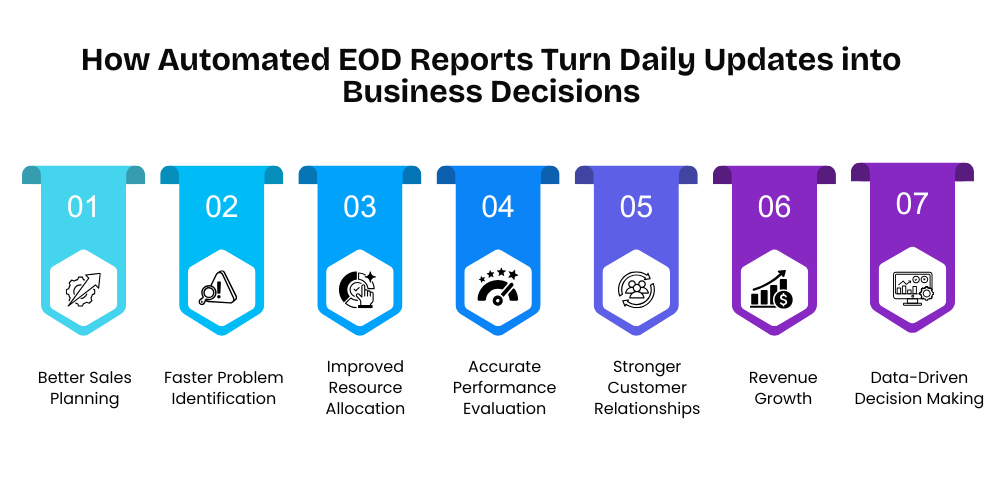
Revenue Growth
By identifying buying patterns, missed opportunities, and high-potential accounts through sales forecasting tools, businesses can proactively drive revenue growth.
Early identification of opportunities allows sales teams to act faster, close more deals, and reduce revenue leakage caused by delayed action or lack of visibility.
Data-Driven Decision Making
Ultimately, automated EOD reporting enables data-driven decision making at every level of the organization. Instead of relying on monthly summaries or intuition, managers can continuously monitor operations through operational analytics platforms and adjust strategies in real time.
This shift from reactive reporting to proactive intelligence empowers organizations to operate with greater agility, accuracy, and competitiveness.
By converting daily operational updates into structured insights, automated EOD reports bridge the gap between field activity and strategic decision-making. This ensures that every business action is guided by real-time data, leading to better planning, faster execution, and sustained revenue growth.
Top Benefits of Automated EOD Reporting for Sales Teams
Implementing automated reporting software delivers significant operational, strategic, and financial advantages for modern sales organizations. By replacing manual reporting processes with intelligent sales automation systems, businesses can improve efficiency, accuracy, and visibility across the entire field force. These benefits directly contribute to stronger execution, better decision-making, and improved revenue outcomes.
Below are the key advantages of automated EOD reporting for sales teams.
Saves Time
Sales representatives no longer need to spend time preparing end-of-day summaries or updating spreadsheets. With field sales automation, all activities are captured automatically during the day, allowing employees to focus entirely on customer engagement and selling activities.
Improves Accuracy
Automated data capture eliminates human intervention in reporting, significantly reducing errors such as duplication, missing entries, or incorrect calculations. Sales reporting software ensures that every data point is recorded directly from field activities, improving overall data reliability.
Enhances Accountability
Every customer visit, order, and payment is recorded with precise timestamps and location verification using GPS tracking systems. This ensures complete transparency and improves accountability across the sales team.
Increases Manager Visibility
Managers gain real-time visibility into field operations without the need for constant follow-ups or phone calls. Through real-time sales tracking, they can monitor team performance, customer visits, and order flow from a centralized dashboard.
Supports Better Forecasting
Historical data stored in sales analytics platforms helps organizations identify trends, seasonal patterns, and demand fluctuations. This improves forecasting accuracy and enables better demand planning and inventory management.

Boosts Team Productivity
By reducing administrative workload, employees can dedicate more time to core sales activities such as client meetings, product demonstrations, and order closing. This leads to improved efficiency and higher conversion rates.
Enables Faster Decision-Making
With instant access to business intelligence dashboards, managers can quickly respond to market changes, identify performance gaps, and take corrective actions without delay. This agility is crucial in competitive markets.
Simplifies Compliance
Digital reporting creates a structured and traceable audit trail for all sales activities, ensuring compliance with internal policies and regulatory requirements. Automated reporting systems also make it easier to retrieve historical data when needed for audits or reviews.
Overall, automated EOD reporting strengthens field employee tracking, improves customer visit management, enhances route optimization, and significantly boosts sales force effectiveness. It transforms daily operational data into a powerful asset that drives continuous improvement and sustainable business growth.
Features to Look for in an Automated EOD Reporting Solution
Not all automated reporting software delivers the same level of functionality. Businesses need to carefully evaluate solutions that go beyond basic data collection and provide deep sales analytics, real-time visibility, and actionable insights. A strong field force management system should not only generate reports but also help organizations improve decision-making, productivity, and operational efficiency.
Below are the key features to look for in an effective Automated EOD reporting solution.
Automated Report Generation
The system should automatically generate end-of-day reports without manual input. This ensures consistency, reduces workload, and improves the reliability of sales reporting systems across the organization.
Customizable Report Formats
Every business has unique reporting needs. A good solution should allow customization of report layouts, KPIs, and data fields, enabling tailored business reporting dashboards for different teams.
Real-Time Dashboards
Live dashboards provide instant visibility into field activities, helping managers track performance as it happens. This supports real-time sales tracking and faster decision-making.
GPS Tracking
Built-in GPS tracking systems ensure accurate location verification of field employees, enabling businesses to monitor travel routes, customer visits, and on-ground activities with precision.
Attendance Management
An integrated attendance module helps track check-ins, working hours, and leave status automatically. This strengthens workforce management systems and ensures workforce accountability.
Customer Visit Tracking
The solution should capture detailed customer interaction data, including visit outcomes, follow-ups, and missed visits. This enhances customer relationship management (CRM) capabilities.
Sales Order Management
A strong system should allow field employees to create, modify, and submit orders directly from the field. This improves efficiency in order management systems and reduces delays in processing.
Payment Collection Reports
Accurate tracking of payments collected, outstanding dues, and pending invoices is essential for maintaining healthy cash flow and improving financial reporting accuracy.
Route Optimization
Advanced solutions should provide optimized travel routes to reduce travel time and increase productivity. This feature enhances route planning efficiency and reduces operational costs.
Mobile Accessibility
Field employees should be able to access and update data through mobile devices, ensuring smooth mobile workforce management and real-time data capture.
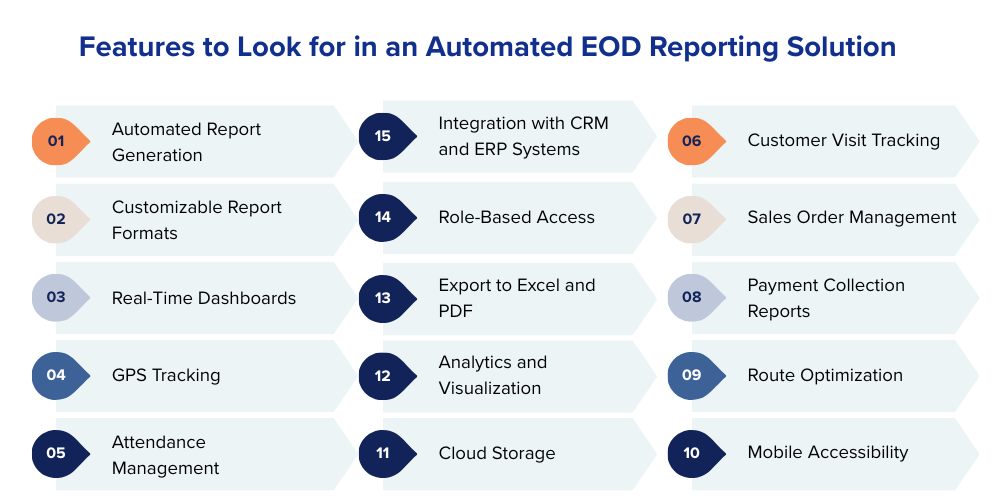
Cloud Storage
Cloud-based systems ensure secure, scalable, and centralized data storage. This enables seamless access to reports and improves cloud-based reporting systems reliability.
Analytics and Visualization
Interactive charts, graphs, and dashboards help convert raw data into actionable insights using sales performance analytics and data visualization tools.
Export to Excel and PDF
Reports should be easily exportable in formats like Excel and PDF for sharing, offline analysis, and external reporting requirements.
Role-Based Access
A secure system should allow different access levels for managers, executives, and administrators, ensuring proper data security and role management.
Integration with CRM and ERP Systems
Seamless integration with existing business tools improves workflow efficiency and ensures unified data flow across enterprise resource planning (ERP) and CRM systems.
A scalable Automated EOD reporting solution should grow with the business, handling increasing data volumes and expanding field teams while maintaining accuracy, speed, and usability. By investing in the right features, organizations can significantly improve reporting efficiency, decision-making, and overall sales performance.
How Delta Sales App Automates EOD Reporting
The Delta Sales App automates End-of-Day (EOD) reporting by transforming every field activity into real-time, structured data without requiring manual effort from sales representatives. Instead of collecting updates at the end of the day, the system continuously captures, syncs, and organizes field operations through a unified field force automation platform.
This ensures that every customer interaction, order, payment, and visit is automatically converted into a complete, accurate, and actionable EOD report.
1. Real-Time Activity Capture
All field activities are recorded instantly through the mobile app:
- Customer visit check-ins via GPS tracking
- Order booking using mobile sales automation
- Payment collection updates in real time
- Customer feedback logging
- Attendance and working hours tracking
Each action is automatically stored, eliminating manual reporting.
2. Automatic Data Sync to Cloud
Once data is captured, it is synced to a centralized cloud system using real-time data synchronization.
This ensures:
- No data loss
- Instant availability to managers
- Seamless multi-device access
- Accurate centralized reporting
Even offline entries are synced once connectivity is restored.
3. Automated EOD Report Generation
At the end of the day, the system automatically compiles all activities into structured sales performance reports.
These include:
- Daily sales summary
- Visit completion reports
- Order and revenue details
- Payment collection status
- Productivity metrics
No manual compilation or Excel sheets are required.

4. Manager Dashboard & Analytics
Managers access a centralized business intelligence dashboard that provides complete visibility into field operations:
- Team-wise performance tracking
- Territory-wise sales insights
- Route compliance using GPS analytics
- Attendance and activity logs
- Customer coverage reports
- Order pipeline status
- Collection summaries
This enables faster decisions using real-time sales analytics.
5. Conversion of Data into Decisions
By combining automation and analytics, Delta Sales App turns raw field data into actionable insights:
- Improves sales force productivity
- Enhances territory management
- Reduces reporting delays
- Strengthens customer visit tracking
- Enables faster decision-making
Final Thoughts
Daily operational data is only valuable when it is timely, accurate, and actionable. However, manual reporting often creates delays, errors, and extra workload, limiting a manager’s ability to respond quickly.
Automated EOD reports remove these challenges by delivering real-time visibility into sales activities, customer visits, attendance, collections, and overall team performance. This enables faster decisions, better execution, and improved field efficiency.
As businesses move toward digital transformation, automated reporting is no longer optional, it’s a competitive necessity for smarter, data-driven growth.
If you’re ready to streamline reporting and turn daily field data into actionable insights, Delta Sales App can help.
Book a demo today and see how Delta Sales App automates your EOD reporting and improves sales productivity.