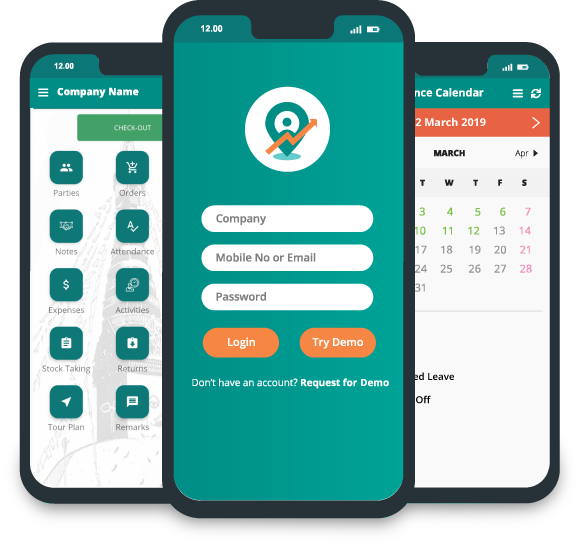

Is Your Team Prepared for Field Force Management Software?

Your reps are out in the field every day, visiting retailers, taking orders, following routes, collecting payments, and building relationships. But when a manager asks, "How many customers did we actually visit today?" or "Why are sales down in this territory?" how fast can you get a real answer? If that answer comes from phone calls, WhatsApp messages, paper forms, spreadsheets, or an end-of-day report someone types up from memory, your field sales process is probably working. It's just not working efficiently.
As a field team grows, managing people and activity by hand gets harder fast. Managers need to see field movements, customer visits, sales orders, territory performance, and team productivity without spending half their week chasing that information down. That's the gap field force management software is built to close. But adopting it isn't as simple as buying a platform and telling reps to use it. Your people, your processes, and your managers all need to be ready for the switch too.
So how do you know if your team actually is ready? Here are the signs, the benefits, the features that matter, and the practical steps for making the move without it falling apart halfway through.
What Is Field Force Management Software?
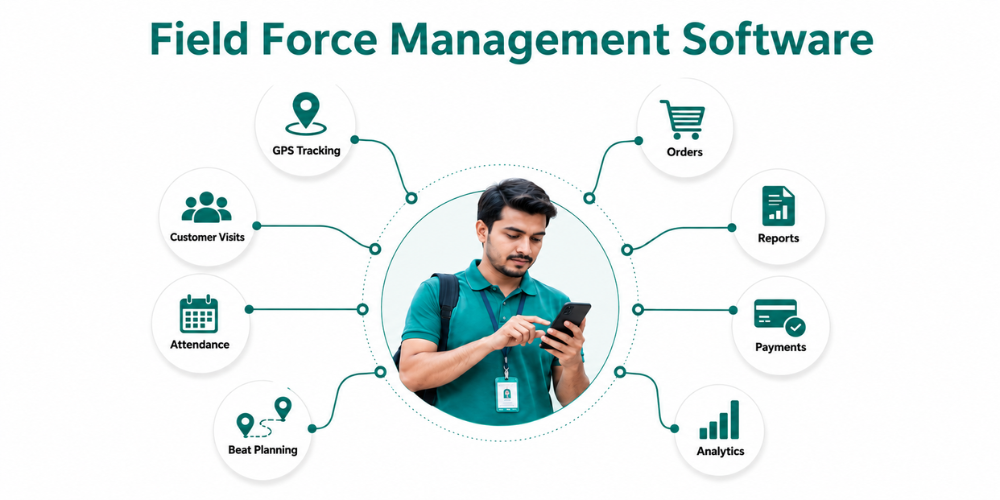
Field force management software is a digital system for planning, monitoring, coordinating, and optimizing the work of employees who spend their day outside the office. Instead of running field activity through disconnected spreadsheets, paper reports, phone calls, and messaging apps, a business can manage its whole sales force from one place. Depending on the platform, that can cover:
-
Sales representative attendance
-
Customer and retailer visits
-
GPS-based field tracking
-
Beat and route planning
-
Order taking and order management
-
Product and inventory information
-
Sales reporting
-
Territory management
-
Expense reporting
-
Payment collection
-
Customer follow-ups
-
Sales performance analytics
For FMCG companies, manufacturers, distributors, wholesalers, and other businesses running field sales teams, this brings some real order to day-to-day operations. Instead of waiting until evening to find out whether a rep actually finished their planned visits, a manager can check structured field activity during the day itself. Instead of a rep scribbling orders on paper and typing them into a spreadsheet later, they capture the order on their phone on the spot. The point isn't just tracking employees. It's connecting what happens in the field to the rest of the business's data, so managers can make decisions faster and with something to actually base them on. If you want a deeper look at how these systems work, their core capabilities, and how businesses use them to improve field operations, explore our guide to field sales management software.
Signs Your Team Needs Field Force Management Software
A lot of businesses still use manual systems because they are comfortable with them. The problem is that a process can appear manageable when the team is small but become a significant bottleneck as the business expands. Here are some signs that your current field sales process is ready for an upgrade.
-1787288615.png)
1. Managers Have Limited Visibility Into Field Activities
One of the biggest challenges in managing field sales is getting a real feel for what is really going on out in the field. A rep might have a list of 20 customers to visit, but managers may not know which customers were seen or skipped, how long the rep was out in the field, or if the planned route was followed. When managers only get information in the form of end-of-day reports, they’re making decisions in the dark ages. A field sales tracking app can give more visibility into attendance, customer visits, field activity, and territory coverage. This gives managers a better feel for what is happening as the work is happening.
2. Sales Representatives Spend Too Much Time on Reporting
Sales representatives should be out there selling, calling on customers, taking orders, following up with retailers, and building relationships. But manual reporting can consume a surprising amount of their working day. Reps may need to keep paper records, update spreadsheets, generate daily reports, and send information through multiple channels of communication. A mobile field sales solution allows reps to capture information once, at the source. Sales activity can be captured digitally on the customer visit, rather than recreating the same information later. This cuts down on admin work and lets salespeople spend more time on revenue-generating activities.
3. Customer Visits Are Difficult to Verify
It is important for companies that rely on frequent visits to retailers or distributors to have coverage of customers. If visits are recorded manually, it can be difficult to know if a planned visit took place. Managers may also have trouble locating lost customers or areas that are not being paid enough attention. Customer visit tracking allows companies to build a more organized record of field visits. This information helps managers understand customer coverage, identify missed visits, and optimize future field planning. This is especially helpful for the sales teams of FMCG where reps may have to visit several outlets each day.
4. Orders Are Still Collected Manually
On paper, it sounds simple, but it can lead to problems as order volumes increase. Handwritten numbers can be misinterpreted, product info can be incorrectly entered, and orders can be manually transferred into another system before they can be processed. A digital order management system can allow representatives to build orders right from their smartphones. More uniform management of product information, quantities, pricing, and applicable schemes. This means less manual data entry and can speed up the flow of information from the field to the back office.
5. Sales Reports Take Too Long to Prepare
If sales managers need to collect information from several representatives before preparing a daily or weekly report, valuable time is lost before action can be taken. The problem becomes even bigger when information comes from different spreadsheets, paper reports, messages, and other sources. A sales force automation platform can centralize field information and automate reporting. Managers can spend less time preparing reports and more time analyzing what the numbers actually mean.
6. Your Team Is Expanding Across Multiple Territories
Managing a small field team manually can work, but as your team grows and spans multiple cities, territories, or regions, the complexity increases significantly. With more sales representatives and customers to manage, it becomes essential for managers to find an efficient way to coordinate routes, territories, visits, orders, attendance, and performance. This is typically when businesses begin to seek out field workforce management software that can adapt to their expanding needs and help streamline operations.
Common Challenges Without a Field Force Management System
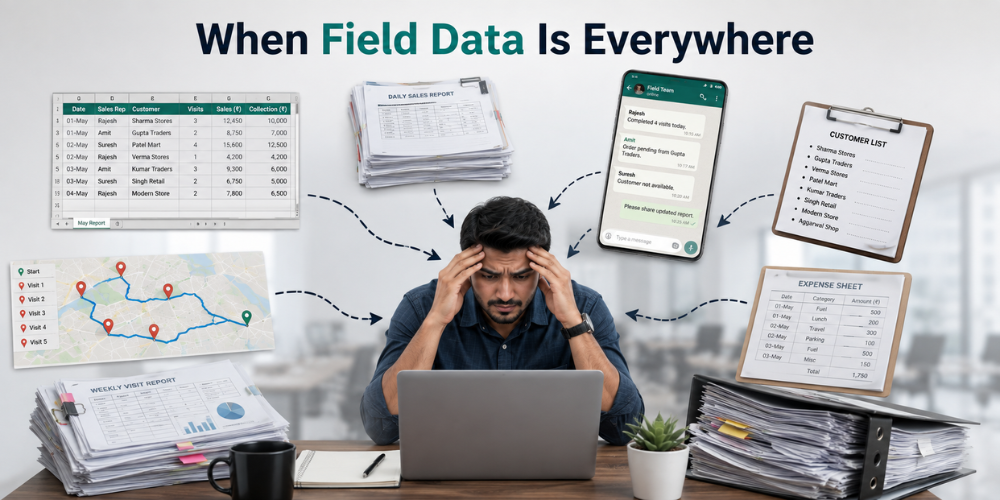
Without a centralized field force management system, businesses often experience problems that go beyond simple reporting delays. These issues can directly affect productivity, customer coverage, operational costs, and management decisions.
1. Poor Visibility Into Field Operations
Effective management relies on visibility. When field activity data is slow to arrive or missing, managers may struggle to understand if sales representatives are sticking to their schedules, connecting with key customers, or dedicating adequate time to crucial areas. This lack of insight can delay the identification of issues and hinder timely corrective measures.
2. Inaccurate or Delayed Data
Relying on manual data entry opens the door to various errors. A sales representative might accidentally jot down the wrong quantity, misplace data in a spreadsheet, or overlook submitting a crucial report. By the time these mistakes are caught, they may have already impacted inventory levels, sales figures, or important management choices. Embracing digital data collection can bring a more consistent and reliable approach to capturing information right from the start.
3. Inefficient Route and Beat Planning
Ineffective route planning can lead to excessive travel, missed opportunities to connect with customers, and lost productivity. Implementing a beat planning system empowers managers to thoughtfully arrange customers into organized routes and schedules. This enables representatives to adopt a more methodical approach to customer engagement, rather than navigating their day without a cohesive plan.
4. Limited Accountability
Accountability isn't about keeping a constant watch on employees; it's about having trustworthy insights into their activities and results. Without a clear record of visits, orders, attendance, or daily tasks, managers can struggle to grasp the reasons behind varying performance levels among team members or regions. Having dependable activity data helps make conversations about performance fairer and more constructive.
5. Fragmented Business Information
Customer data might be stored in various spreadsheets, orders could be in different files, expenses may be tracked through emails, and field reports might be shared via messaging apps. When crucial information is dispersed across different platforms, managers find themselves dedicating more time to data collection rather than analysis. A unified platform can consolidate various sales activities, offering a comprehensive perspective on field operations.
6. Higher Administrative Workload
Sales representatives, supervisors, back-office employees, and managers often find themselves bogged down by repetitive administrative tasks. As the sales team expands, this burden can become overwhelming. Embracing automation allows businesses to alleviate this strain, freeing up valuable time for employees to focus on building meaningful relationships with customers and driving sales forward.
Key Benefits of Field Force Management Software
The right field force management software can improve more than just visibility. It can connect daily field activities with broader sales operations.
-
Real-Time Field Visibility
One of the key advantages is enhanced transparency in field operations. Managers can easily retrieve data on attendance, customer interactions, sales performance, and other field activities via a unified dashboard, eliminating the need to wait for separate reports. This is especially beneficial for overseeing teams in various regions, as it allows managers to grasp the situation without having to reach out to each representative individually.
-
Improved Sales Team Productivity
A significant amount of field sales efficiency is consumed by administrative tasks. By enabling representatives to log attendance, visits, orders, expenses, and other activities digitally, they can minimize time spent on paperwork and focus more on engaging with customers. This shift can gradually enhance the number of productive hours spent with clients, all without merely adding to their workload.
-
Better Customer Visit Planning
Effective customer coverage becomes more manageable when visits are strategically organized. Through systematic field visit planning, managers can align customer schedules based on territories, priorities, and anticipated visit frequency. This approach enables representatives to begin their day with a clear roadmap of their destinations and the customers who need their focus.
-
More Efficient Routes
Travel often takes up a large part of a field representative's day. By planning and optimizing routes, we can minimize unnecessary travel and increase the number of meaningful customer visits that can be made within the available hours. This approach is especially beneficial for FMCG sales teams working across expansive regions, allowing them to connect more effectively with their clients.

-
Faster Sales Reporting
By utilizing digital sales reporting, information flows seamlessly from the field to management, allowing for quicker insights. Managers can keep a close eye on sales activities, orders, visits, and various performance metrics without having to wait for representatives to gather and submit reports at the end of the day. This expedited reporting process enables prompt responses when a territory, product, or sales representative is not meeting expectations.
-
Reduced Manual Errors
Implementing digital order entry and standardized data collection helps minimize mistakes that often come with handwritten forms and the tedious process of entering data multiple times. For companies managing a vast array of products and orders, even slight improvements in accuracy can significantly enhance the flow of daily operations, making life easier for everyone involved.
-
Better Cost Control
Field operations come with various expenses, such as travel, employee costs, administrative tasks, and the challenges of inefficient routes. By enhancing planning and gaining better visibility, managers can pinpoint areas where resources may be wasted. Over time, businesses can leverage field data to refine territory planning, boost travel efficiency, and make more informed operational decisions.
-
Stronger Customer Coverage
A sales representative might manage numerous customers within a territory, yet the attention each customer receives can vary significantly. Utilizing field force management tools allows businesses to track customer engagement and pinpoint areas or territories that may be underserved in terms of visits. This insight enables managers to redistribute workloads effectively and enhance overall customer coverage.
How to Know If Your Team Is Ready for This Transition
Choosing to implement field force management software isn't solely about the size of your company. Even a smaller organization with intricate field operations can gain significant advantages from automation. Conversely, a larger company with well-structured processes might have other considerations to weigh. So, how can you assess if your team is truly prepared for this change?
-1787288639.png)
-
Your Current Sales Process Is Clearly Defined
Effective technology thrives on well-defined processes that can be enhanced. Before you roll out new software, take the time to capture how your team currently manages attendance, customer visits, beat planning, orders, payments, expenses, reporting, and follow-ups. This reflection will help you pinpoint which tasks can be automated and which ones might benefit from some improvement prior to automation.
-
Your Managers Want Better Field Visibility
When sales managers frequently inquire about their team's whereabouts, the customers they’ve met, the number of orders placed, or the reasons behind a territory's shortfall, it highlights a genuine need for improved visibility. Implementing a centralized field sales system can empower managers with organized information, eliminating the need for them to chase down answers on their own.
-
Your Sales Representatives Already Use Smartphones
Many contemporary field force platforms focus on mobile devices. If your team members are already using smartphones for tasks like communication, navigation, and coordinating with customers, adopting a mobile sales app can feel like a seamless shift. The important thing is to select an app that is user-friendly, allowing your representatives to navigate it easily during their hectic field visits.
-
Leadership Is Ready to Change Manual Processes
Technology adoption often fails when businesses purchase software but continue requiring employees to follow the old process. For example, asking representatives to submit information through an app and then maintain a separate spreadsheet creates additional work rather than reducing it. Leadership should be prepared to make the digital workflow the standard process once the system is implemented.
-
Your Team Understands the Reason for the Change
Employees might feel hesitant about new software if they think it's just for monitoring their activities. That's why open communication is crucial. Share how the system can lighten their workload by cutting down on paperwork, making daily reporting a breeze, enhancing route planning, simplifying order management, and enabling managers to offer better support. When team members see the real benefits, they are more likely to embrace the change.
Must-Have Features to Look For in Field Force Management Software
Not every field force management platform is built for the same type of business. Before choosing a solution, consider whether its features match your sales process, team structure, customer base, and operational requirements.
-1787288619.png)
1. GPS-Based Field Tracking
GPS-based location tracking offers managers valuable insights into the locations where field representatives are active, enhancing their understanding of territory coverage. It's important to focus on effective field management instead of intrusive monitoring. Seek out a system that delivers meaningful location data, combined with attendance and visit information, to support your team in their daily tasks.
2. Attendance and Leave Management
Digital attendance can take the place of traditional manual registers, giving managers a clearer and more trustworthy perspective on the availability of their field workforce. By incorporating features like location-based attendance and leave management, it can seamlessly align employee availability with daily planning in the field, fostering a more connected and efficient work environment.
3. Customer Visit Tracking
Tracking customer visits is crucial for teams that rely on frequent interactions with retailers, distributors, or clients. The software should simplify the process of scheduling visits, documenting activities, and assessing customer engagement. This empowers managers to gain insights into whether sales teams are effectively connecting with the customers they are meant to support.
4. Beat and Route Planning
Effective sales route planning software should enable businesses to efficiently arrange customers into manageable daily routes. Additionally, beat planning assists representatives in ensuring regular customer engagement rather than relying on manual scheduling.
5. Digital Order Management
Representatives must have the capability to generate and submit orders on-site. An effective order management system should streamline product selection, quantity input, pricing, and other order details, ensuring they are straightforward and precise.
6. Product and Inventory Management
For fast-moving consumer goods (FMCG) and distribution companies, sales representatives frequently require product details when processing orders. Having access to product catalogs, stock levels, pricing structures, promotional schemes, and other pertinent information can enhance the efficiency of customer interactions and streamline the order-taking process.
7. Offline Functionality
Field sales representatives often face challenges with internet connectivity. An offline sales application enables them to record essential information even when the network is down, allowing for data synchronization once connectivity is restored. This functionality is especially vital for businesses operating in rural regions or areas with unreliable network coverage.
8. Sales Reports and Analytics
A platform must do more than just gather data; it should empower managers to interpret it effectively. Seek out dashboards and reports that deliver valuable insights into sales performance, customer interactions, order management, representative activities, territory effectiveness, and other key performance indicators.
9. Expense and Payment Management
Field teams often manage travel expenses and customer payments as part of their everyday tasks. By incorporating integrated expense reporting and payment collection tools, we can simplify the process, minimizing the need for cumbersome paperwork. This not only streamlines operations but also provides managers with clearer insights into the financial activities tied to field operations.
10. Territory Management
As businesses expand, effective territory management becomes crucial. Software should enable managers to efficiently categorize sales representatives, customers, distributors, and activities by territory, allowing them to pinpoint gaps and optimize workload distribution.
Steps to Successfully Implement Field Force Management Software
Choosing the right platform is only one part of the process. Implementation determines whether the software actually delivers value.
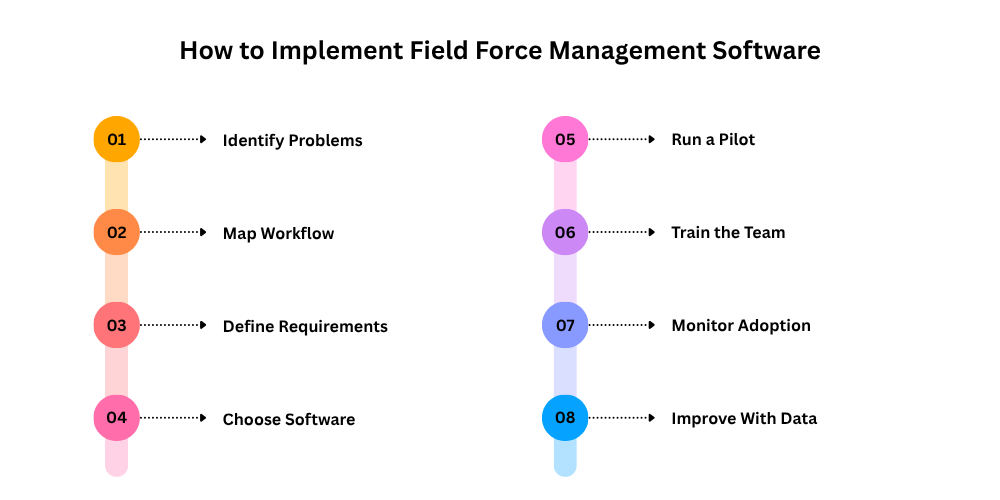
1. Identify Your Current Problems
Begin by identifying the most significant operational hurdles your team encounters. You might find that the primary issue isn't sales tracking but rather delays in order entry. Alternatively, another organization could face greater difficulties with customer coverage or route planning. Gaining insight into these challenges will enable you to focus on the features that truly matter.
2. Map Your Sales Workflow
Document a typical sales representative's working day. For example:
Attendance → Beat Plan → Customer Visit → Order Taking → Payment Collection → Follow-Up → Daily Reporting
Once the workflow is visible, identify where manual work occurs and where digital automation could improve efficiency.
3. Define Your Requirements
Develop a concise inventory of essential and desirable features. Your criteria might encompass GPS tracking, customer visit oversight, order processing, offline functionality, sales analytics, secondary sales monitoring, expense oversight, or distributor coordination. This approach helps you avoid choosing software solely based on an appealing feature set.
4. Choose Software Based on Business Fit
Assess how effectively the platform aligns with your real-world operations. Take into account user-friendliness, mobile capabilities, offline access, reporting features, scalability, integration options, support during implementation, and the flexibility to tailor workflows as needed. A platform loaded with features may not be ideal if your sales team struggles to navigate it.
5. Start With a Pilot Team
Begin by rolling out the software to a select team rather than the entire organization. This pilot phase allows you to uncover technical challenges, workflow inefficiencies, training needs, and employee feedback prior to a broader implementation. Insights gained from this group can enhance the overall rollout strategy.
6. Train Sales Representatives and Managers
Training must be hands-on and not just a single demonstration. Sales representatives need to master attendance tracking, visit management, order processing, and daily task completion. Managers should be proficient in interpreting dashboards, analyzing reports, understanding performance metrics, and leveraging field data for informed decision-making.
7. Monitor Adoption
Following implementation, monitor employee engagement with the system. If usage is low, investigate the cause. Potential issues may include inadequate training, complex processes, technical difficulties, or unclear communication regarding the system's purpose.
8. Improve the Process Using Real Data
As your team begins to gather trustworthy digital insights, leverage this information to enhance your operations. You might find that some routes are not as efficient as they could be, certain areas are experiencing high demand, specific customers are being visited more often than necessary, or particular products are seeing increased interest in certain regions. The true benefit of managing your field force lies in transforming this operational data into informed, thoughtful decisions that can drive your business forward.
How Delta Sales App Helps Your Team Get Field-Ready
Delta Sales App is built to help businesses digitize and manage their field sales operations through a centralized platform. Instead of relying on separate tools for attendance, customer visits, orders, sales reports, and field activities, businesses can manage several parts of their sales workflow through one system.
-(1)-1787029208.png)
With GPS-based field tracking, managers can gain greater visibility into field operations. Customer visit tracking helps teams organize and monitor retailer and customer visits, while beat and tour planning can help representatives structure their daily schedules more efficiently. The platform also supports mobile-based order management, allowing sales representatives to capture customer orders directly from the field. Product and inventory information can support more informed order taking, while offline functionality allows representatives to continue working in areas where connectivity may be inconsistent.
For sales managers, centralized reports and analytics provide visibility into sales activities, customer coverage, orders, and team performance. Additional capabilities such as secondary sales tracking, retailer-wise sales tracking, territory management, expense reporting, and payment collection can help connect different parts of the field sales process.
This makes Delta Sales App suitable for businesses that want to move away from paper-based reporting, spreadsheets, and disconnected field processes toward a more organized digital sales operation. The objective is not simply to add another application to the sales team's phones. It is to create a field sales workflow where information is captured once, shared efficiently, and used to improve everyday decisions.
Final Thoughts: Is Your Team Truly Prepared?
The real question isn't just whether your business needs field force management software; it's about whether your current processes can truly support the growing team you envision. If your managers find it hard to track field activities, if your sales reps are bogged down with report preparation, if verifying customer visits is a challenge, if orders are still being taken manually, and if sales data takes too long to reach those who need it, these are clear indicators that your team might be ready for a digital field force management system. However, adopting new technology is only part of the solution.
You need to clearly define your processes. Your managers must champion this transition. Your sales representatives should grasp the advantages of the new system. And your organization must be open to replacing outdated manual workflows instead of just layering new software on top. When your people, processes, and technology align, field force management software can evolve into more than just a tracking tool; it can serve as the backbone of a more efficient, transparent, and scalable sales team.
If you're curious about what a connected field sales operation could look like, book a free demo of the Delta Sales App to see how it can seamlessly integrate into your team's workflow.