
Why Excel Is Killing Your Sales Team Productivity

Did you know that sales teams devote up to 40% of their time to manual data entry and spreadsheet updates? That's nearly a half-week spent on tasks that don't directly generate revenue. Excel has been around for decades, but it is quickly becoming the silent killer of sales productivity. Spreadsheet inefficiencies, errors, and delays can cost businesses thousands of dollars per month while also frustrating and demotivating sales teams.
Inefficient spreadsheets cost businesses time and money, leading to frustration and demotivation among sales teams. Excel errors are more common than you think: according to studies, one out of every five spreadsheets contains significant errors that can affect sales forecasts and inventory management.
What is the good news? Modern field sales tools are designed to address these issues by eliminating manual work, reducing errors, and allowing sales teams to focus on what matters most: closing deals and increasing revenue.
The Hidden Cost of Using Excel for Sales
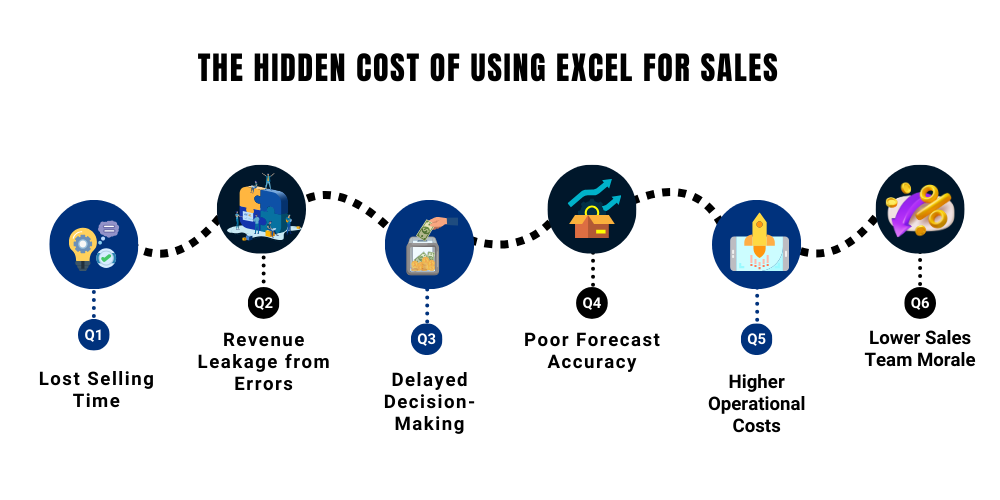
Excel appears easy to use and reasonably priced at first. However, for sales teams, the true cost isn't the software; rather, it's the daily accumulation of lost time, lost revenue, and operational inefficiencies. These hidden expenses are frequently overlooked until they begin to hinder growth.
Here’s how Excel quietly drains sales productivity:
-
Lost Selling Time
Every week, sales representatives put in hours updating spreadsheets, correcting formulas, and compiling reports. According to industry estimates, using manual tools like Excel can cause sales teams to lose up to 30–40% of their time on non-selling tasks. Meeting clients and closing deals should take up that time. -
Revenue Leakage from Errors
Inaccurate order values, missing entries, and formula errors are more likely to occur when data entry is done by hand. Even minor errors can result in incorrect pricing, neglected follow-ups, or unfulfilled orders, directly affecting revenue and customer trust. -
Delayed Decision-Making
Excel reports are typically updated on a daily, weekly, or even monthly basis after the fact. Because of this delay, managers are unable to react promptly to underperformance, stock problems, or lost opportunities, which leads to reactive rather than proactive decisions.
-
Poor Forecast Accuracy
Forecasts derived from out-of-date or inadequate spreadsheets frequently don't accurately represent reality on the ground. Sales managers find it difficult to precisely plan inventory, promotions, and goals without real-time data, which can result in overstocking, stockouts, or missed sales windows. -
Higher Operational Costs
As teams grow, managing multiple spreadsheets requires more coordination, more checks, and more manual supervision. What starts as a “low-cost” tool slowly increases operational overhead through inefficiency and rework. -
Lower Sales Team Morale
Sales representatives are frustrated by repetitive manual tasks. High-performing representatives lose motivation when they are compelled to spend time on spreadsheets rather than closing deals, and disengaged teams seldom produce excellent outcomes.
Why Excel Fails Modern Sales Teams
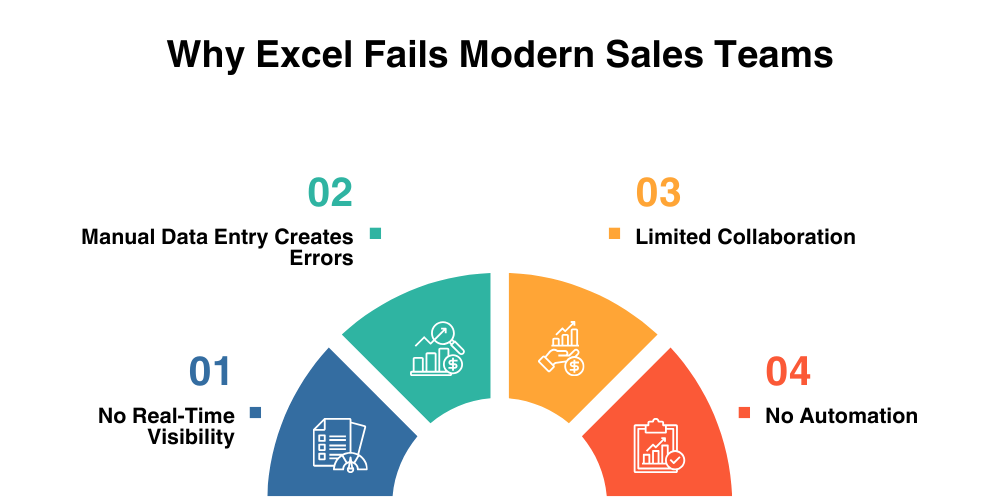
Excel might be versatile for basic data tasks, but for field sales, it’s a major bottleneck that slows productivity, creates errors, and limits growth. Today's sales teams work in hectic settings where teamwork, accuracy, and speed are essential. Keeping up with these demands is nearly impossible when spreadsheets are used. Here's a thorough analysis of the reasons Excel is impeding your team's progress:
-
Manual Data Entry Creates Errors
Human error is a possibility every time a sales representative updates a spreadsheet, whether it's by typing the incorrect number, copying the incorrect formula, or losing an entry. Inaccurate forecasts, missed orders, and revenue losses can result from these errors. For instance, a single incorrect sales figure can disrupt inventory planning or monthly goals, costing businesses thousands of dollars in missed opportunities.
-
No Real-Time Visibility
To make prompt, well-informed decisions, sales managers require immediate insight into field operations. Excel spreadsheets only display data after it has been manually updated; they are static. Managers are unable to monitor sales representatives in real time, identify opportunities, or respond promptly to problems because of this delay. These delays can result in missed client visits, postponed orders, and slower response times in markets that move quickly.
-
Limited Collaboration
These days, sales teams are frequently dispersed throughout several cities, countries, or regions. Collaboration becomes a nightmare when everyone uses Excel. Confusion and versioning errors result when teams send different versions of the same file via cloud drives or email. The absence of a single source of truth causes misunderstandings, redundant work, and team member annoyance.
-
No Automation
Field sales require constant follow-ups, reminders, order updates, and reporting. Excel cannot automate these tasks, so reps spend hours each week on manual work instead of selling. For instance, it takes repetitive, time-consuming work to keep track of which clients require follow-up calls or to create reports for management. Revenue is directly impacted by this inefficiency since it limits the quantity of real sales calls that representatives can make.
Signs Your Sales Team Has Outgrown Excel
Growing sales teams soon reach Excel's limits, even though it still feels familiar. If any of the following scenarios seem familiar to you, it's a clear indication that Excel is slowing down rather than assisting your sales operations.
-
Reports are delayed or inconsistent
Excel-based sales reports frequently rely on manual updates from several representatives. Reports become out-of-date or untrustworthy when even one update is inaccurate or delayed. As a result, leadership ends up reviewing last week’s performance instead of today’s reality, making it harder to act in time.
-
Managers struggle to track field activity
Managers are unable to determine the location of representatives, the customers they have visited, or the actual productivity of their day in the absence of real-time visibility. Managers are forced to rely on calls, messages, or end-of-day reports because Excel does not provide live tracking, which results in inadequate oversight and delayed course correction.
-
Sales reps spend more time updating sheets than selling
Selling suffers when representatives must manually record visits, orders, and follow-ups. Over time, this administrative burden lowers daily customer interactions and overall sales output. This wasted effort often frustrates high-performing reps the most.

-
Follow-ups are missed or forgotten
Reminders and alerts are not sent by Excel. There is a greater chance of missed calls, delayed responses, and lost deals when follow-ups rely solely on memory or manual notes. Even one neglected follow-up can cost a customer or a sale in competitive markets.
-
Data accuracy is frequently questioned
Trust in the data is damaged when sales figures vary between spreadsheets or don't correspond to actual results. Decision-making is slowed and confidence in sales planning is diminished when managers spend more time confirming numbers than analyzing them.
How Modern Field Sales Tools Solve Excel’s Problems
The sales environment of today is faster, more competitive, and more focused on the needs of the customer than it has ever been. Spreadsheet-specific tools are just unable to keep up. The purpose of contemporary field sales tools is to overcome Excel's drawbacks and facilitate the real-world operations of sales teams.
Here’s what defines a modern sales solution and why it matters:
-
Mobile-first and field-ready
Reps can work remotely thanks to modern sales tools designed for smartphones and tablets. Reps can record visits, take orders, and update customer data immediately from the field instead of waiting to update spreadsheets at the end of the day.
-
Real-time and cloud-based
Modern tools sync data in real time, in contrast to Excel, which depends on manual updates. Teams and managers have access to the same current information from any location, guaranteeing a single source of truth and facilitating quicker, more assured decision-making.
-
Automated instead of manual
Repetitive tasks like activity tracking, follow-up reminders, and report generation are replaced by automation. This saves time, minimizes human error, and frees up sales representatives to concentrate on closing deals rather than handling paperwork.

-
Insight-driven, not just data-heavy
These days, sales platforms are more than just raw data. They help managers enhance execution, optimize routes, and boost conversion rates by analyzing performance, highlighting trends, and revealing actionable insights.
How Delta Sales App Transforms Sales Productivity
The Delta Sales App can help with this. It is specifically designed for field sales teams that require speed, accuracy, and visibility, in contrast to spreadsheets. It streamlines daily operations and frees up sales teams to concentrate on closing deals rather than adding more manual labor.
Here's how the Delta Sales app improves local productivity:
-
Real-Time Sales Tracking
The DeltaSales App provides managers with real-time information about field operations, including the locations of representatives, the clients they have visited, and the results attained. Faster decision-making, improved coaching, and prompt intervention when performance declines are all made possible by this real-time tracking.
-
Automated Reports
There is no need for manual reporting because sales data is automatically recorded while representatives work. Without having to wait for spreadsheets, managers receive accurate, current reports that save them time each week and guarantee that decisions are made using current data rather than out-of-date summaries.

-
Offline Functionality
When the internet stops, field sales continue. Even in places with poor connectivity, representatives can record visits, take orders, and update customer information thanks to the DeltaSales App's seamless offline operation. After connectivity is restored, data syncs automatically, guaranteeing no data loss.
-
Actionable Analytics
The DeltaSales App provides insights that show trends, gaps, and opportunities rather than just numbers. By swiftly identifying high-potential clients, underperforming regions, and top performers, managers can transform data into understandable, practical decisions.
-
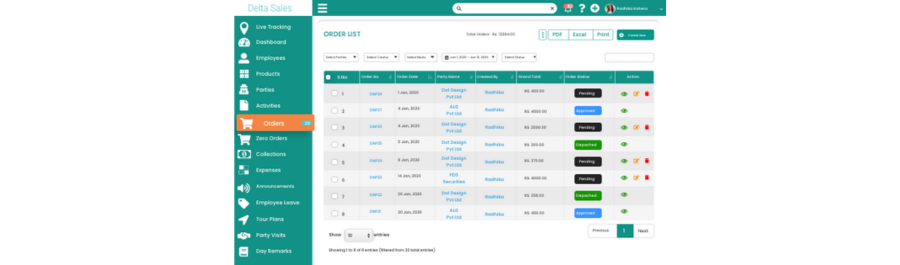
Order & Inventory Management
Errors and delays are minimized because orders are recorded in real time and synchronized with inventory. Sales teams can close deals more quickly and increase customer satisfaction by having better visibility into cash flow, order management, and stock availability.
Real-World Impact
Adopting a purpose-built field sales platform instead of spreadsheets has an almost instantaneous impact on sales teams. Businesses that use the DeltaSales app report quantifiable increases in revenue, productivity, and accuracy without having to increase operational complexity.
Here’s what that impact looks like in practice:
-
FMCG Distributor
An FMCG distributor managing hundreds of daily field visits struggled with inconsistent Excel reports and frequent data mismatches. After switching to DeltaSales App, sales data was captured directly from the field, eliminating manual entry. Within three months, reporting errors dropped by significant rates, resulting in more accurate order processing and improved customer satisfaction.
-
Pharmaceutical Sales Team
Monitoring field activity and streamlining daily routes presented difficulties for a pharmaceutical sales team. Managers could better direct representatives and spot underutilized time slots with real-time tracking and route visibility. Consequently, the team improved coverage and sales effectiveness by increasing average daily customer visits by a decent percentage.
-
Retail Field Team
The DeltaSales App was used by a retail field team to expedite order and inventory tracking in the face of delayed order updates and restricted cash flow visibility. The team's improved execution on the ground resulted in a significant percentage increase in revenue quarter over quarter thanks to quicker order fulfillment and improved visibility into outstanding payments.
Conclusion
For many years, Excel was crucial to sales operations, but the way sales teams operate has drastically changed. These days, manual data entry, delayed visibility, and disjointed reporting are obstacles to expansion rather than merely inefficiencies. Sales success depends on speed, accuracy, and real-time execution as competition and customer expectations rise. Teams that continue to rely on spreadsheets run the risk of falling behind, while those that use contemporary field sales tools benefit from increased productivity, improved control, and improved customer relations.
Sales teams can reduce manual labor, increase data accuracy, and implement insights by switching from Excel to a platform designed specifically for this purpose, such as the DeltaSales App. Better reporting and sales are the outcomes.
Give up letting spreadsheets control how well you sell. In 2026, increase your sales productivity by upgrading to the Delta Sales App.